Timesheets · chartered accountancy firm
From Excel timesheets to one system for recording, reviewing and reporting work.

Built for a chartered accountancy firm with about 50 employees. Staff record their work, managers review their teams, approved leave feeds into timesheets, and admins access reports in the same system.
Public demo · read-only · invented firm and data
Don’t take the screenshots’ word for it. Click through the system yourself.
Same software, three seats. Each person sees something different. Every screen below comes from this demo.
Or go straight in as an employee, a team lead or an administrator.
1Record
Staff record their work. Approved leave appears in the same week automatically.
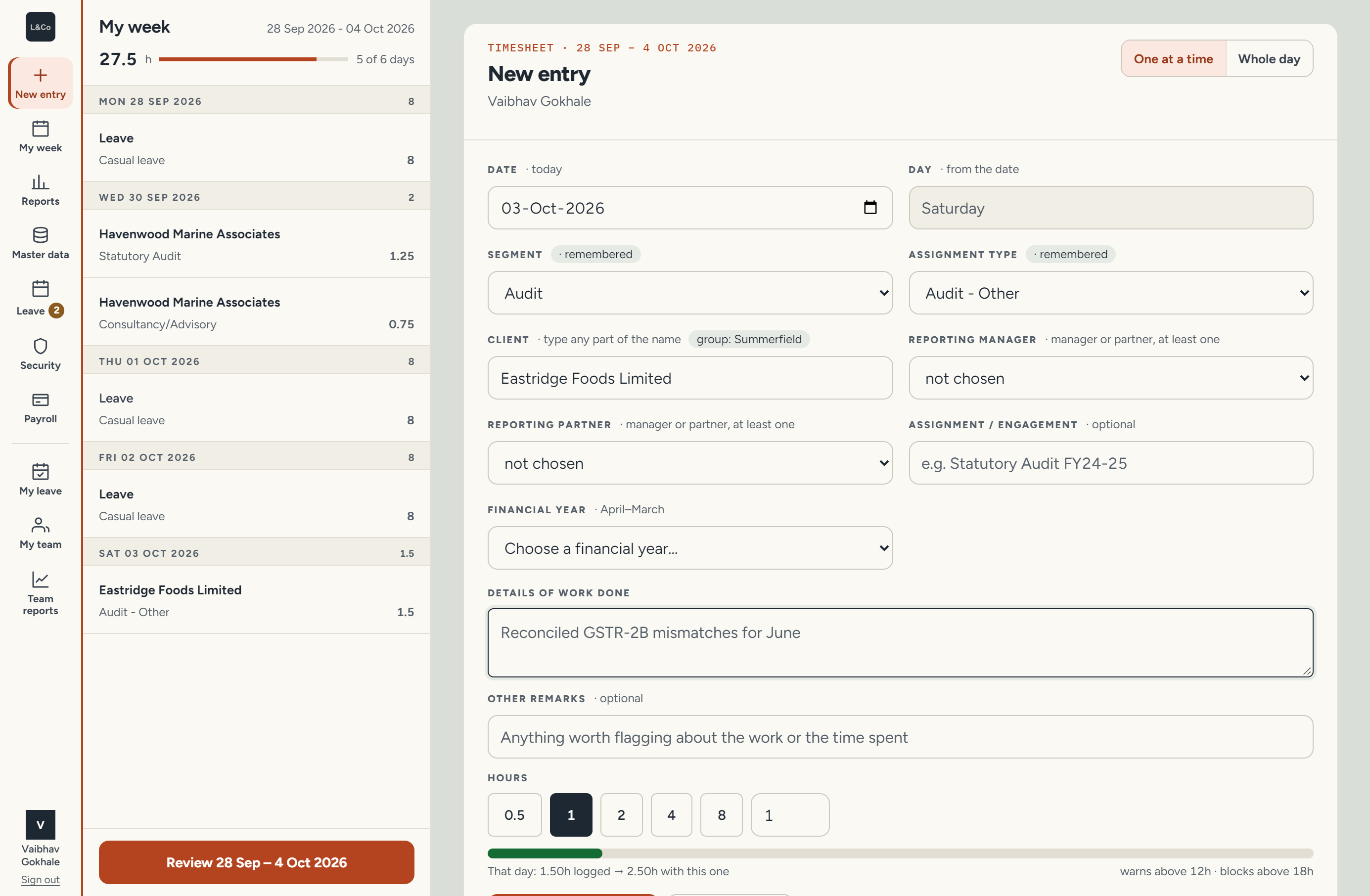
Also on this screen: the day’s running total, with a warning above 12 hours and a block above 18.
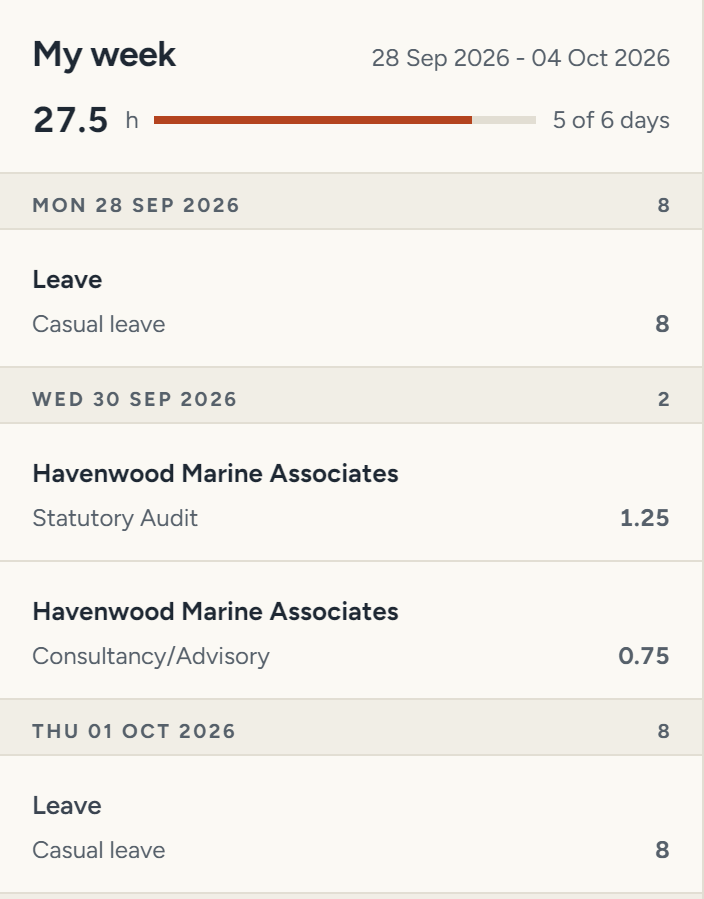
Approved leave in the employee’s week.
2Review
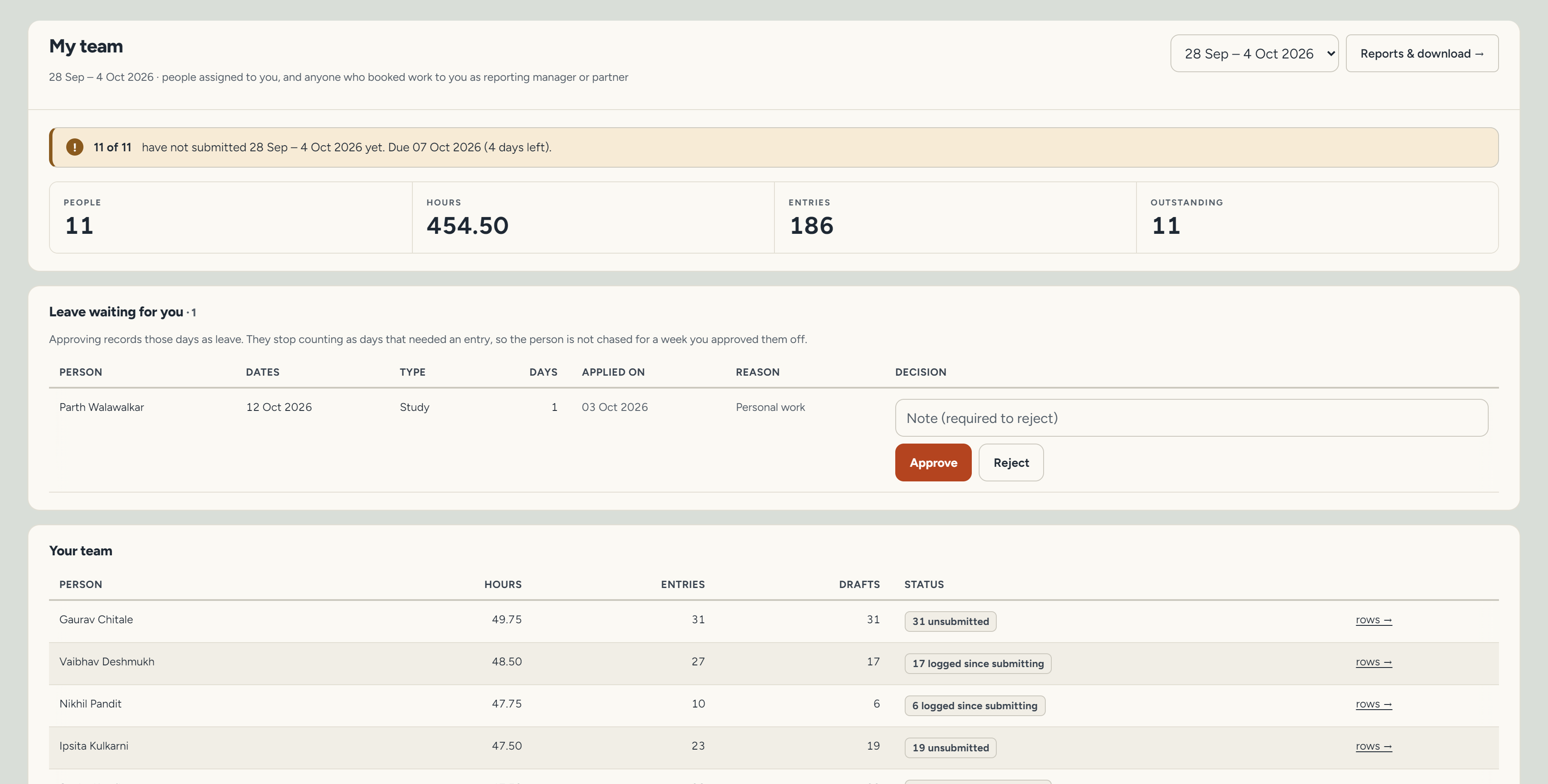
Managers can see who has submitted their week and who still has entries outstanding.
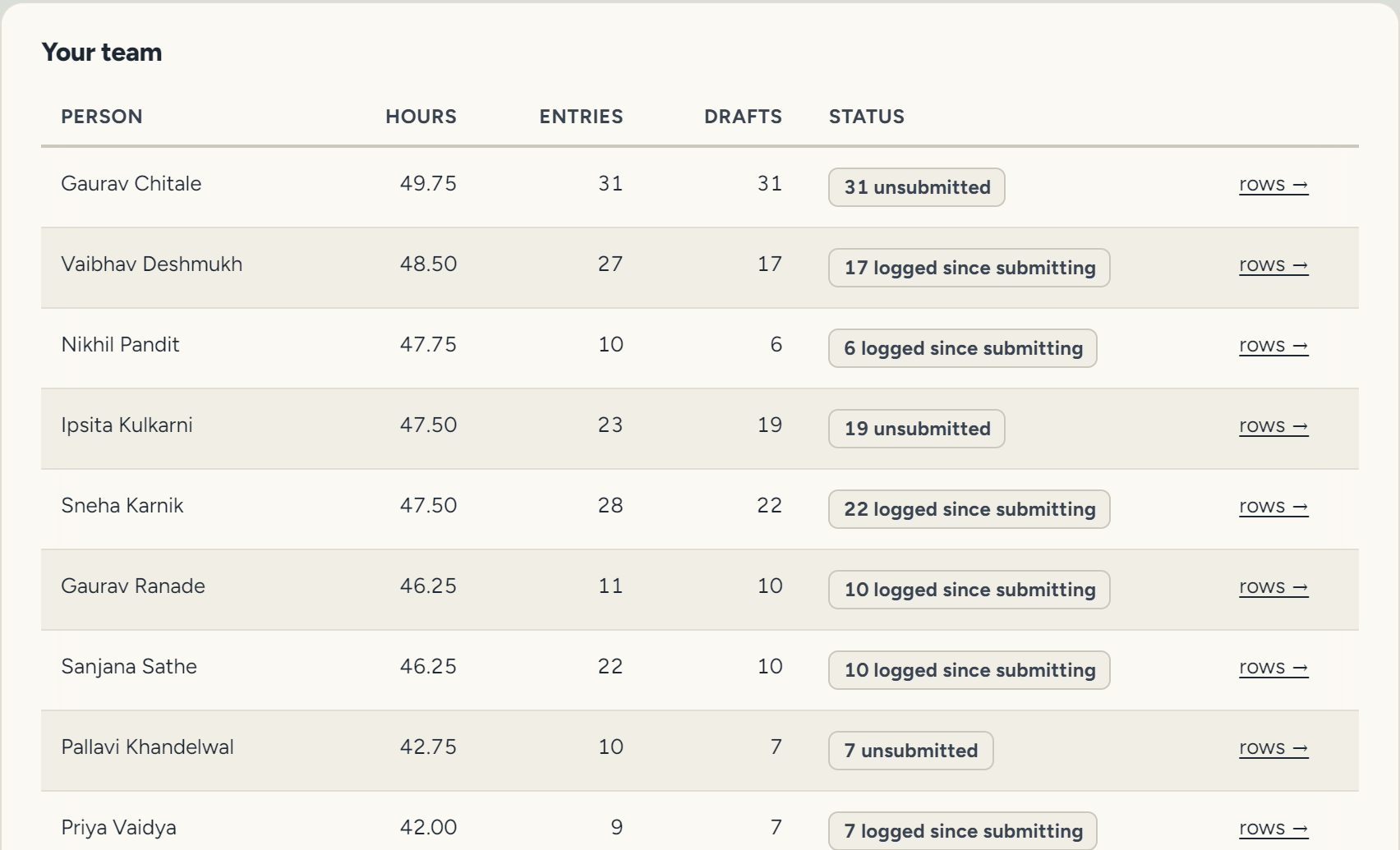
Detail: the team table from the My team screen.
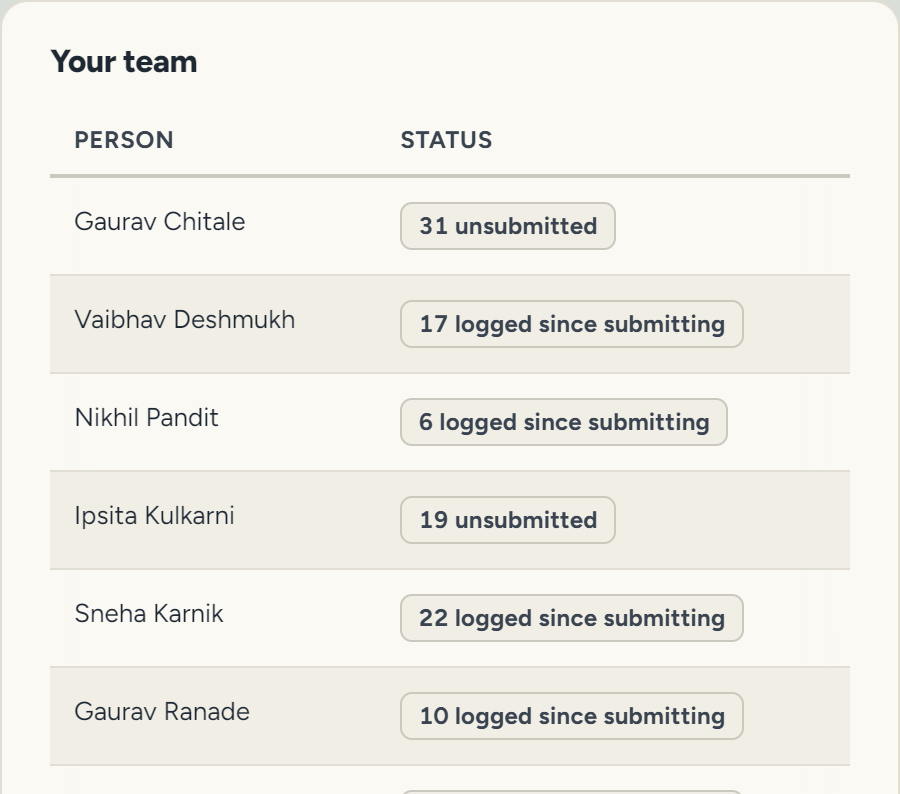
Detail: person and submission status. The full screen also shows hours, entries and drafts.
3Report
See where the firm’s hours went, by client, team member or type of work.
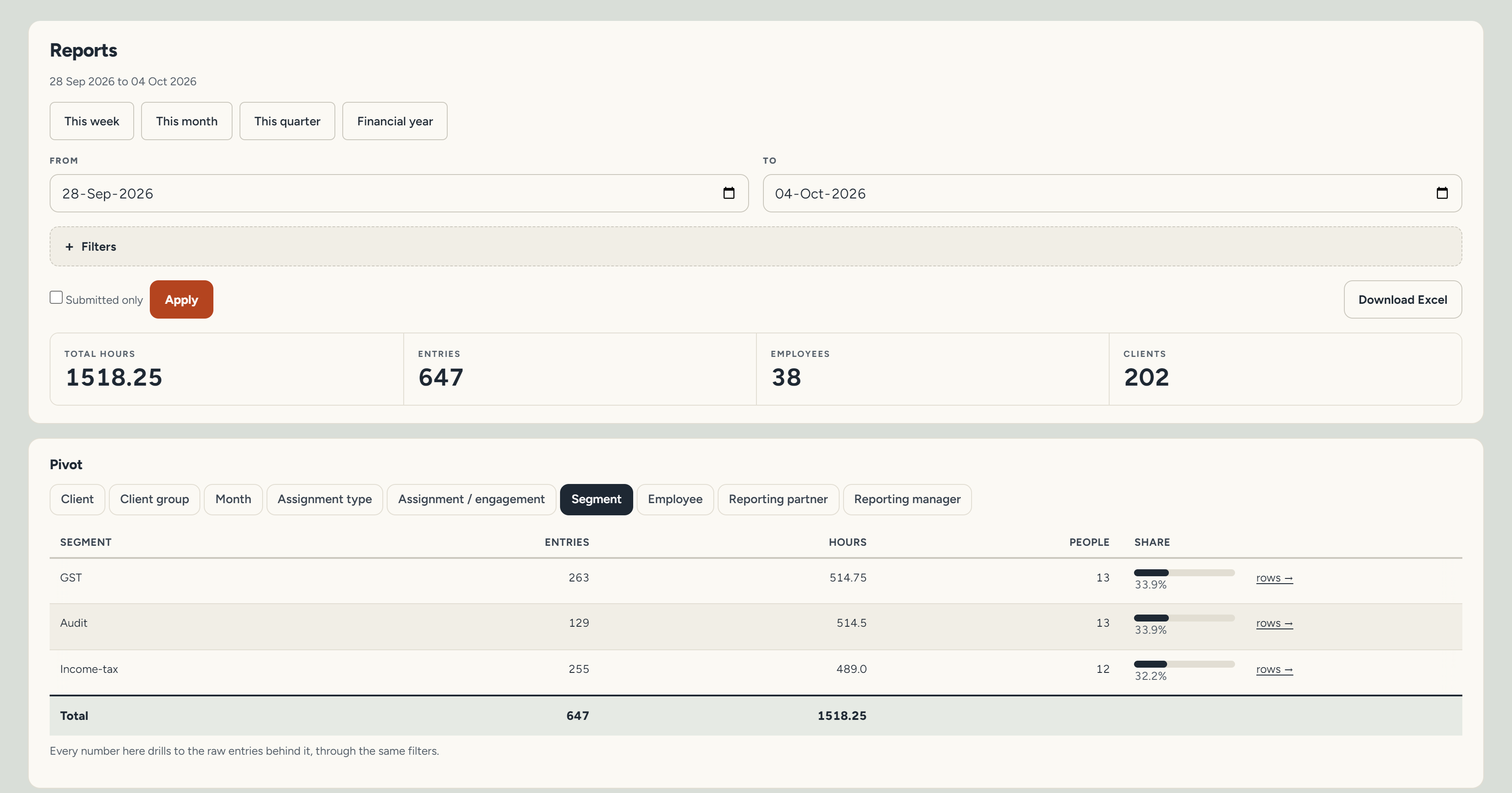
One week, by type of work. Admins can also view it by client, month or person, and download it to Excel.
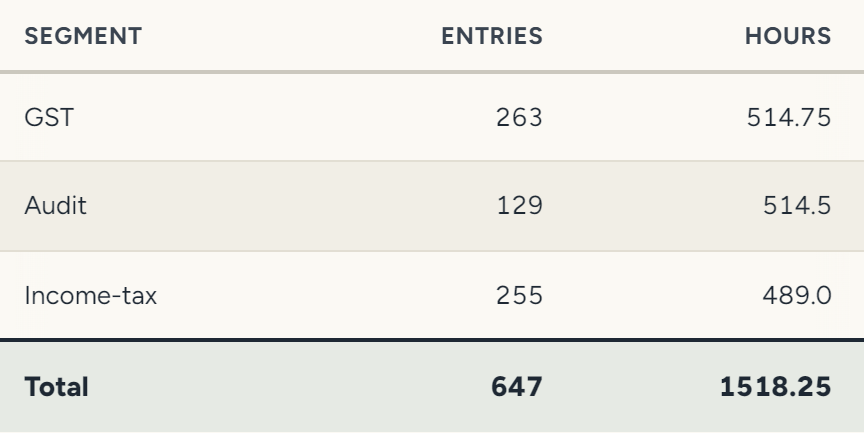
Detail: hours and entries by type of work. Admins can also view it by client, month or person.
Optional · inspect the details
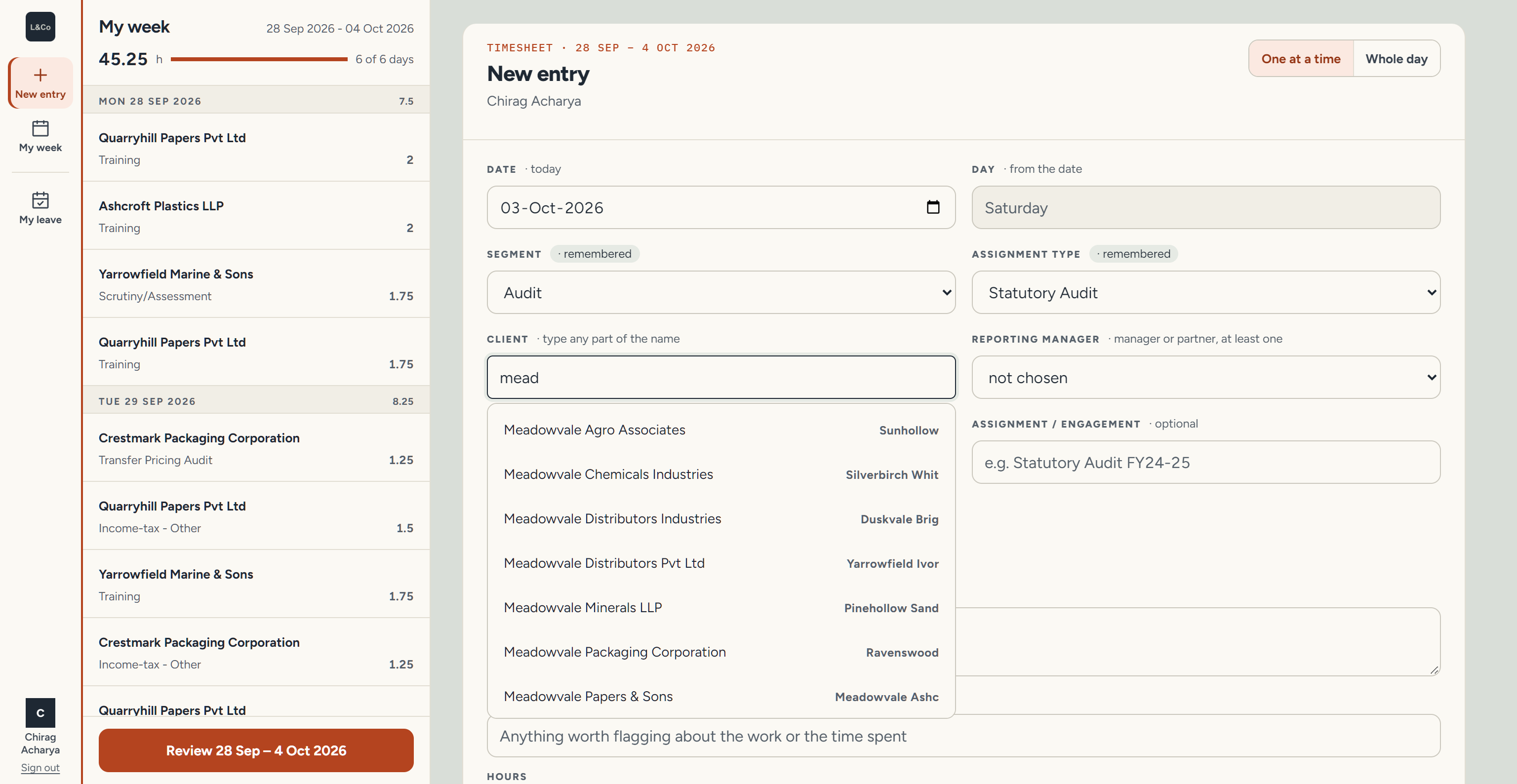
The old template had separate, unlinked Client and Client Group lists. Here you type any part of a name, and the client carries its group, so the two can’t disagree.
The type of work is remembered from last time. “Repeat last entry” and a Whole day mode cut repeat typing.
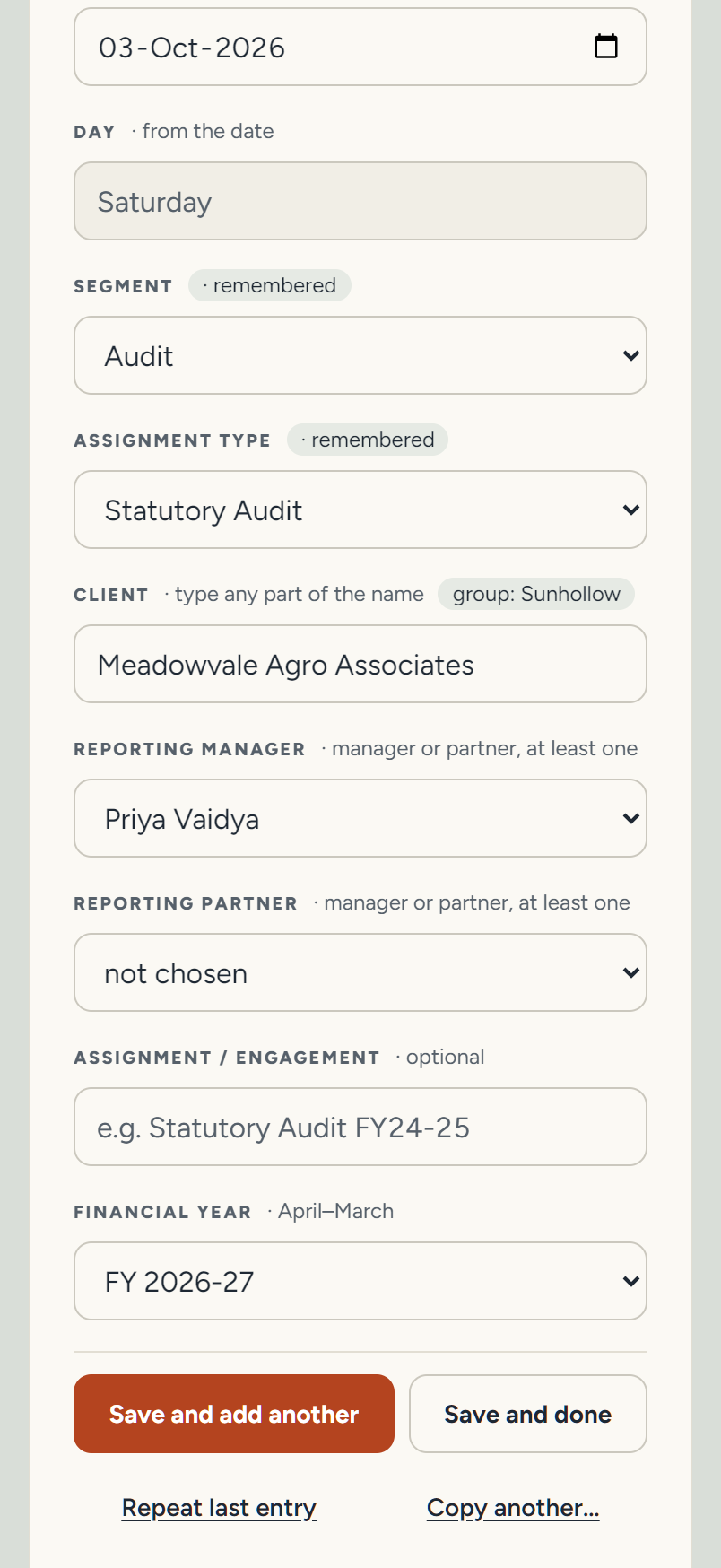
The old template had separate, unlinked Client and Client Group lists. Here the client carries its group, so the two can’t disagree.
The type of work is remembered; “Repeat last entry” is one tap.
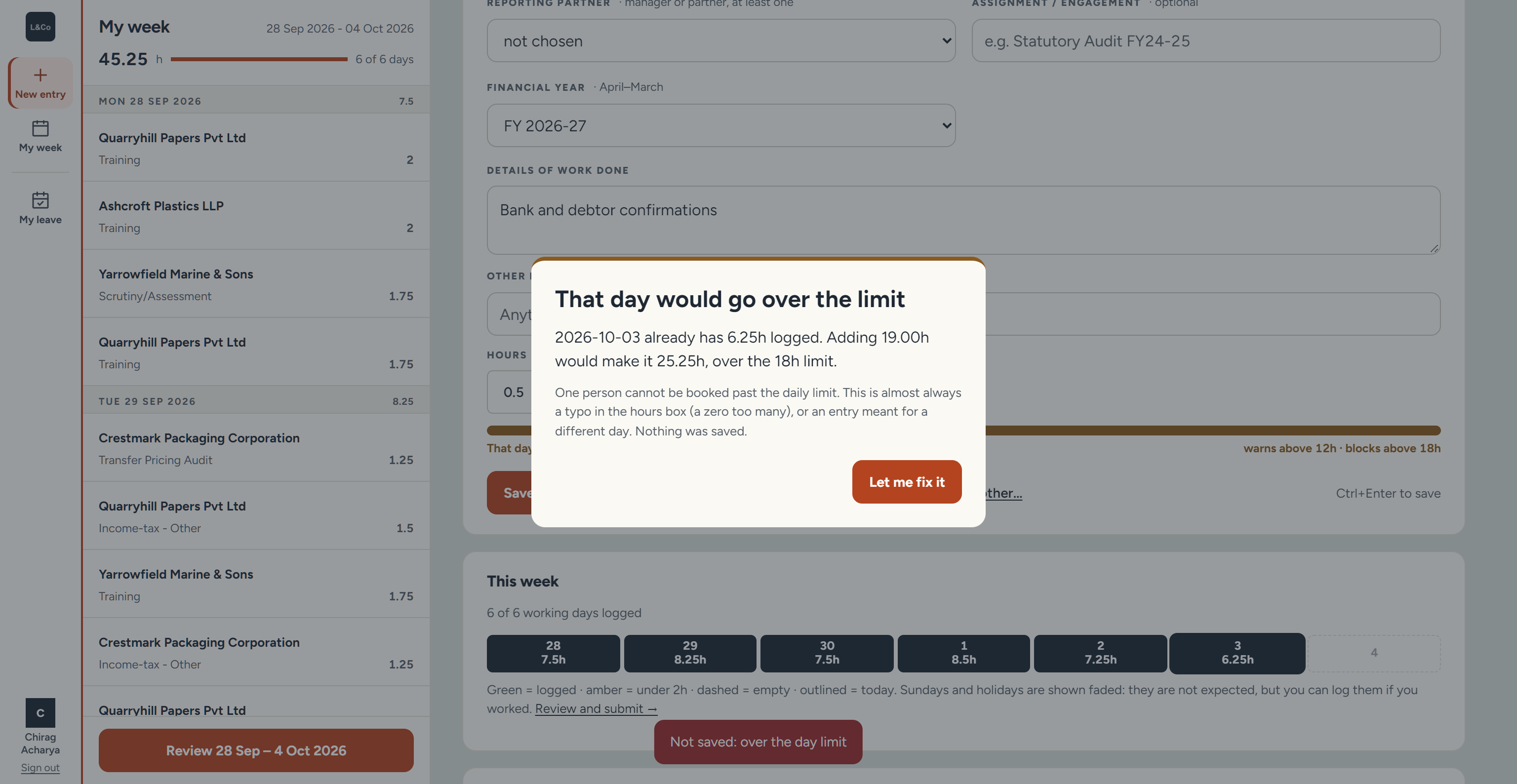
Over 12 hours in a day gets a warning. Over 18 is refused, the likely cause is named (a zero too many), and nothing is saved. Weeks also lock on a schedule, and only an admin can reopen one.

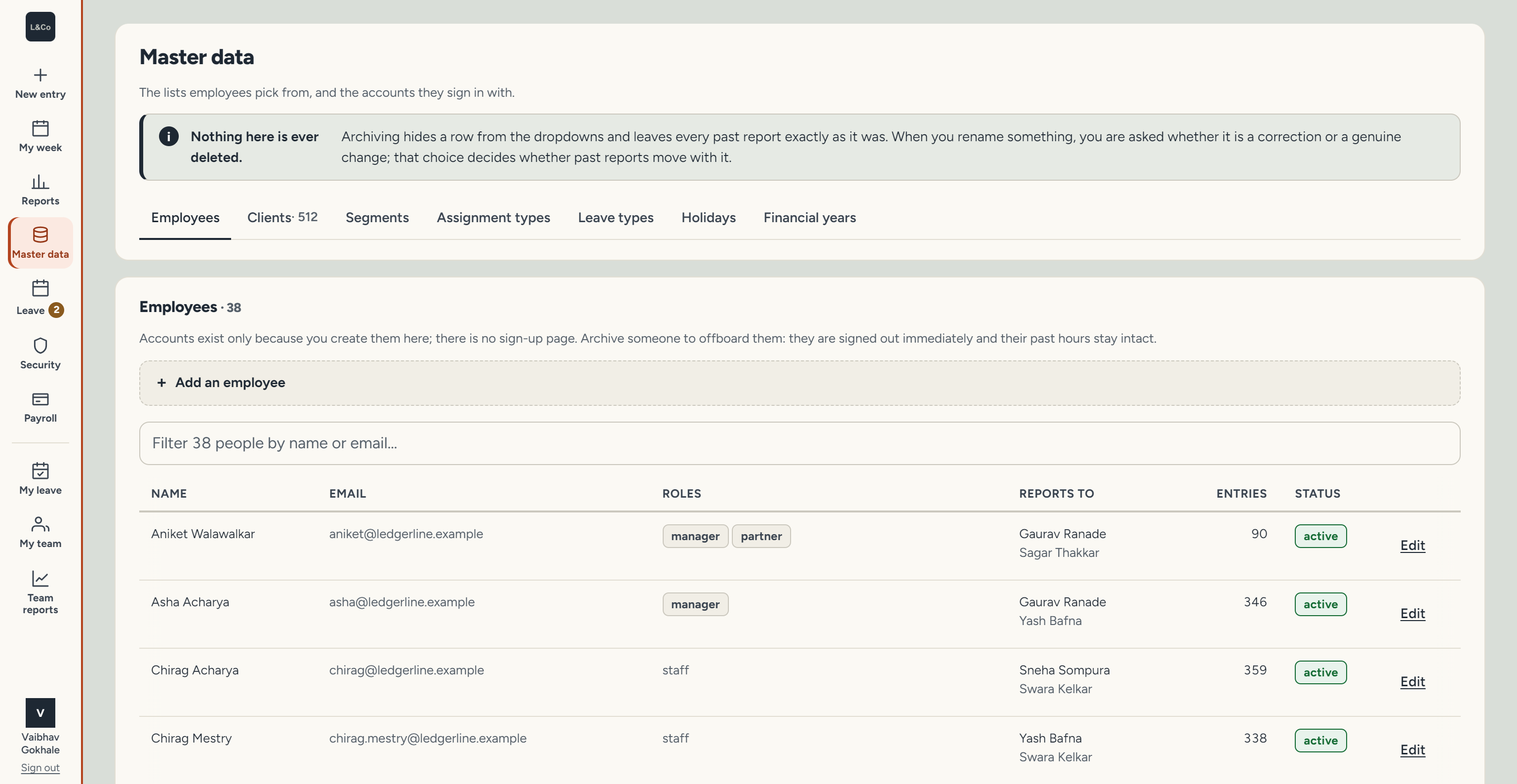
Clients, groups, assignment types, holidays and staff live in one place. Records in use are protected from deletion; archiving hides one from the dropdowns and leaves past reports unchanged.